Fake apps in the UAE: how to avoid malware on your phone
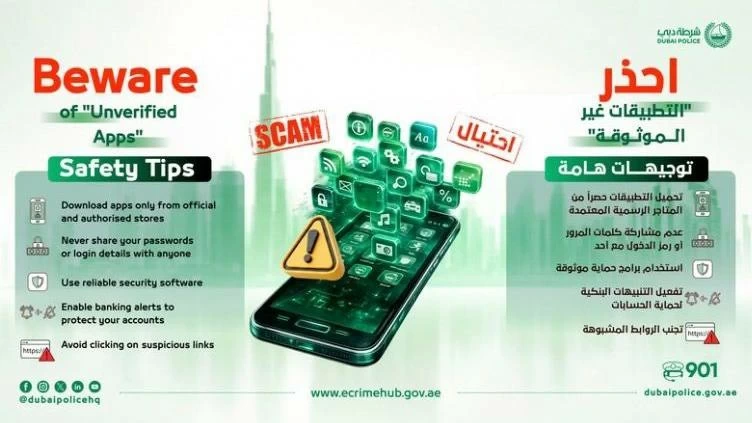
Dubai Police’s e-Crimes and cybersecurity unit warns about apps that do not come from official stores. A video from the department showed how fraudsters disguise malicious software as banking, investment, delivery or security-update apps, then wait for the victim to install it. The attack starts the moment the app is on your phone, and the aim is to reach your banking details. Install apps only from the Apple App Store or Google Play, and report anything suspicious on 901.
Which apps scammers copy
| Disguise | How it reaches you | What to do instead |
|---|---|---|
| Banking or investment app | A link in a message or a search result promising a new feature or returns | Open your bank’s app from the official store listing you already use |
| Delivery app | A message about a missed parcel with an install link | Track parcels only in the courier’s official app or website |
| Security-update app | A pop-up or message saying your phone is at risk | Update through your phone’s own settings |
What to do
- Install apps only from the Apple App Store or Google Play.
- Never share passwords, PINs or one-time codes, even with someone who says they are a friend or relative asking for a quick fix.
- Install trusted security software.
- Turn on banking alerts so unusual transactions are flagged.
- If something looks wrong, report it through the Dubai Police smart app, call 901 or submit a case on the eCrime platform.
If you already installed a suspicious app
These are general safety steps, not an official procedure. Act in this order:
- Call your bank first and ask it to block your cards and online banking.
- Put the phone in flight mode, then uninstall the app.
- Change your banking and email passwords from a different, clean device.
- Report it to Dubai Police on 901 or through the smart app, and keep the message or link you received.
Illustrative Case: The Parcel That Never Came
This person is made up. A resident gets a message saying a parcel is waiting and a small app is needed to reschedule delivery. The link opens a page outside any app store. Nothing was ordered, the sender is unfamiliar, and the app asks for banking access. Those three signs together are enough to delete the message and report it.
Frequently asked questions
Is an app safe if it asks for few permissions?
Not necessarily. Where the app came from matters more than the permission list. If it did not come from an official store, do not install it.
Where to go next
These tricks often start with a fake call or message, so read our guide on fake official calls and messages. Related scams include fake insurance and gold deal ads and fake customs hold notices, and you can lock down your own account with WhatsApp Strict Account Settings.
Related guides